The Ultimate Guide to CRM Implementation for Tampa Businesses
By Alex De Gracia, Founder, Everyday Workflows
Running a growing service business in the Tampa Bay area is exhilarating, but it often comes with a hidden cost: chaos. Whether you are a roofing contractor in Brandon, a marketing agency in St. Pete, or a logistics firm near the Port of Tampa, there comes a point where spreadsheets and sticky notes stop working.
If you have ever forgotten to call a hot lead back because their contact info was buried in an email chain, you know exactly what we are talking about.
At Everyday Workflows, we see this scenario play out constantly. A business owner has an excellent product or service, but their internal processes are held together by duct tape and manual data entry. The solution isn't just "working harder"—it is implementing a robust Customer Relationship Management (CRM) system tailored to your specific needs.
In this guide, we will walk you through our team’s proven framework for CRM implementation and automation. We will move beyond the buzzwords and show you exactly how to build a machine that manages your leads for you, typically achievable within a 2-4 week timeline.
The Hidden Cost of Manual Lead Management
Before we dive into the "how," let's quantify the problem. In the fast-paced Tampa market, speed is everything. Studies show that responding to a lead within the first five minutes increases the chances of conversion by up to nine times.
However, if you are relying on manual entry—copying data from a contact form, pasting it into a Google Sheet, and then manually composing an email—you are losing valuable time.
Common Symptoms of a Broken Process:
- Data Silos: Sales data lives in one person's inbox, while project details live in another’s notebook.
- Lost Leads: Inquiries slip through the cracks because no one was assigned to follow up.
- Lack of Visibility: You cannot answer the simple question, "How much revenue is in the pipeline for next month?" without spending hours tallying numbers.
- Employee Burnout: Your team wastes 10-15 hours a week on repetitive admin tasks instead of revenue-generating activities.
We aim to eliminate these bottlenecks. By transitioning to a centralized CRM, we typically see businesses reclaim 20% of their work week.
Step 1: Choose Your Weapon (Selecting the Right CRM)
Not all CRMs are created equal. We often see businesses sign up for massive enterprise tools like Salesforce when they really need something agile like Pipedrive or customizable like Monday.com.
For most service-based businesses in Florida, we recommend looking for three key features:
- Visual Pipelines: Can you drag and drop a deal from "New Lead" to "Contacted"?
- Automation Capabilities: Does it integrate easily with tools like Make.com or Zapier?
- Mobile Accessibility: Can your field team access it while on a job site in Clearwater or Wesley Chapel?
Our Recommendation: For pure sales focus, Pipedrive is hard to beat. For operations that blend sales and project management, Monday.com is often the superior choice due to its flexibility.
Step 2: Map Your Customer Journey
Before you log into any software, you need a map. Software simply accelerates your existing process—if your process is undefined, you’ll just be accelerating chaos.
Grab a whiteboard and map out the lifecycle of a client. It usually looks something like this:
- New Lead (Inbound): Form fill, phone call, or referral.
- Qualification: Initial triage to see if they fit your service profile.
- Discovery/Meeting: The first substantial interaction.
- Proposal Sent: You have quoted a price.
- Negotiation: handling objections.
- Closed Won / Closed Lost: The final outcome.
Pro Tip: Keep your stages distinct. A deal should only move forward when a specific action has occurred (e.g., "Proposal Sent" is a clear milestone).
Step 3: Centralize and Clean Your Data
This is often the most painful part of the process, but it is necessary. You need to gather your contacts from their various hiding places—Outlook contacts, Excel sheets, old invoices—and standardize them.
When importing to your new CRM, ensure you have these custom fields defined:
- Lead Source: (e.g., Google Ads, BNI Referral, Chamber of Commerce).
- Estimated Value: How much is this deal worth?
- Expected Close Date: When do we expect the money?
- Next Action: What needs to happen next?
🚀 Ready to Streamline Your Operations?
Is your team bogged down by repetitive tasks and messy data? We specialize in building custom workflow automation that gives you back your time.
Book a Free Workflow Discovery Call — let's chat about how we can automate your manual processes in just 2-4 weeks.
Step 4: The "Secret Sauce" – Automating the Busy Work
Once your data is in place, we apply automation. This is where Everyday Workflows adds the most value. We don't just want a database; we want a proactive engine.
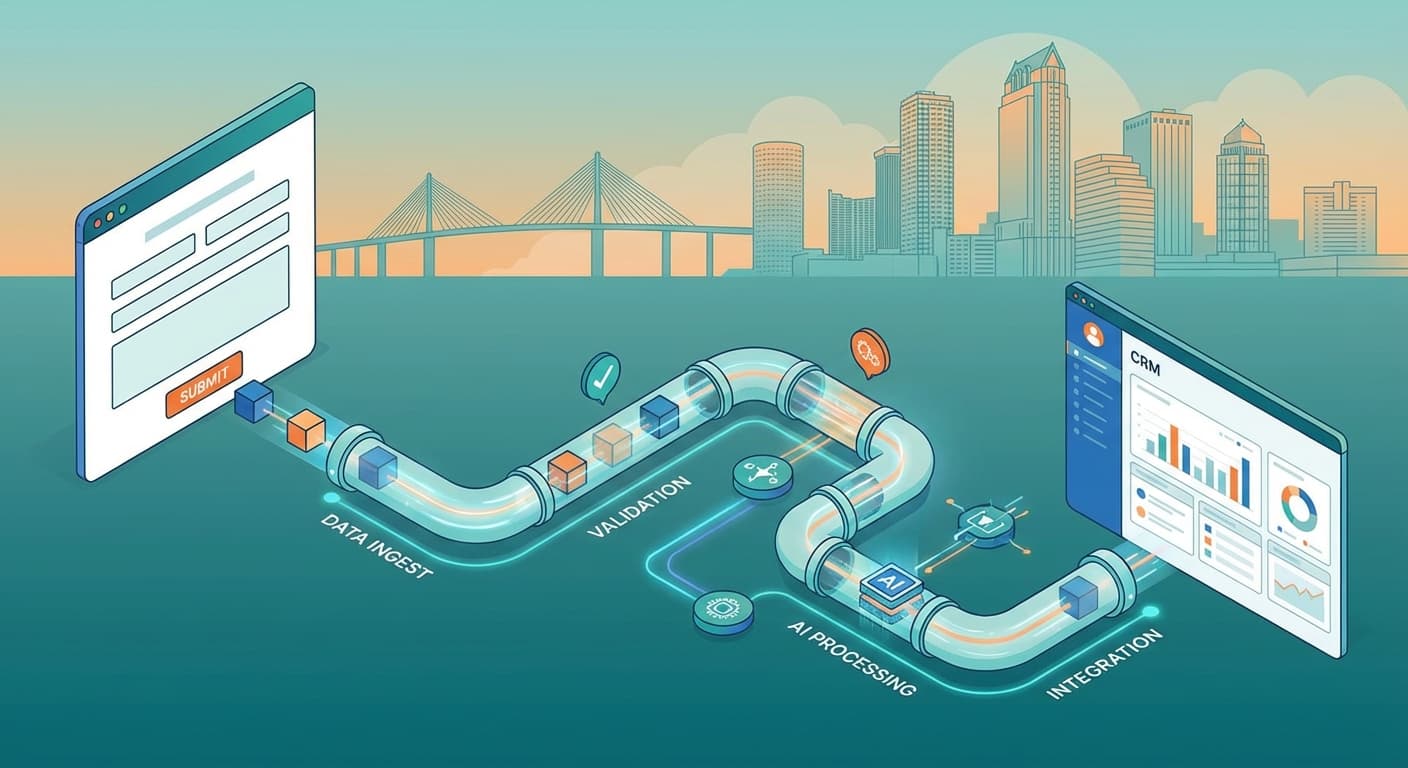
We utilize integration platforms like Make.com (formerly Integromat) to connect your different software tools. Here is a standard "Lead Capture" workflow we build for many Tampa clients:
The Lead Capture Recipe
- Trigger: A potential client fills out a form on your WordPress or Webflow website.
- Action 1 (CRM): Make.com automatically creates a "Person" and a "Deal" in your CRM (e.g., Pipedrive). It pulls in the name, email, phone, and notes.
- Action 2 (Communication): The system sends a Slack or Microsoft Teams notification to your sales channel: "New Lead Alert: John Doe from Tampa just inquired about HVAC services."
- Action 3 (Acknowledgment): An automated email is sent to the lead from the founder’s email address (not a generic "no-reply") saying: "Hi John, got your info. I'll review it and give you a call shortly."
The Result: The lead is captured, the team is notified, and the customer is reassured—all within 30 seconds, with zero human intervention.
Step 5: Automating Follow-Ups and Tasks
The money is in the follow-up. However, human memory is fallible. We configure your CRM to automate task creation.
- Scenario: If a proposal is sent and the status changes to "Proposal Sent," the system automatically creates a task for 3 days later: "Follow up on Proposal with [Client Name]."
- Stalled Deals: If a deal sits in the "Qualification" stage for more than 7 days without activity, the system can automatically flag it as "At Risk" and notify the sales manager.
This ensures that no lead is ever left behind simply because things got busy.
Step 6: Training and Adoption
You can build the most sophisticated system in the world, but if your team doesn’t use it, it is worthless. This is a common hurdle we see.
Strategies for Successful Adoption:
- The "Source of Truth" Rule: If it isn't in the CRM, it didn't happen. Sales commissions are only paid on deals tracked in the system.
- Keep it Simple: Don't clutter the interface with 50 mandatory fields. Start with the essentials.
- Mobile Usage: Ensure your field agents have the mobile app installed and know how to use voice-to-text to enter notes immediately after a meeting.
Why Tampa Businesses Need This Now
The Tampa Bay region is growing rapidly. We are seeing an influx of competitors in almost every sector, from construction to consulting. The businesses that will survive and thrive are those that can scale efficiently.
We have worked with local companies that were drowning in admin work, unable to take on new clients because their backend was broken. After implementing a proper CRM and automation strategy, they were able to double their lead volume without hiring extra administrative staff.
Conclusion
Implementing a CRM isn't just about buying software; it's about adopting a mindset of efficiency. It’s about respecting your own time and the time of your potential clients.
While the process requires an upfront investment of focus and energy, the dividends are paid out daily in the form of saved hours and increased conversion rates.
You don't have to navigate this technical landscape alone. If you are ready to stop fighting with spreadsheets and start closing more deals, our team is here to guide you through the transition.
Are you ready to build a scalable sales engine? Contact Everyday Workflows today to verify if your business is ready for automation.
About the Author

Alex De Gracia
Founder & Lead Automation Consultant
Founder of Everyday Workflows with expertise in workflow automation, AI implementation, and business process optimization. Active in Tampa business community, South Tampa Chamber of Commerce, and Young Catholic Professionals Tampa.
Learn more about our approach →Last updated: February 13, 2026
Ready to automate your workflows?
Book a free strategy session to discuss how automation can transform your business.