Streamlining Operations: A Guide to Workflow Automation in Tampa

By Alex De Gracia, Founder, Everyday Workflows
In recent years, the Tampa Bay area has rapidly evolved into one of the most dynamic business hubs in the Southeast. From the bustling logistics companies near Port Tampa Bay to the innovative tech startups establishing their roots in Downtown Tampa and Water Street, the local corporate landscape is growing at an unprecedented rate. However, with this rapid expansion comes a significant challenge for local enterprises: scaling operations without proportionally inflating overhead costs. This is where workflow automation transitions from a luxury to an absolute necessity. At Everyday Workflows, our team has partnered with numerous local organizations to bridge the gap between traditional manual processes and modern operational efficiency. Within this comprehensive guide, we will explore exactly how Tampa businesses can leverage workflow automation to streamline their operations, reduce manual errors, and empower their teams to focus on high-value initiatives rather than repetitive administrative tasks.
The Tampa Market: Why Local Businesses Need Automation Now
The economic diversity of Tampa—spanning healthcare, logistics, finance, and regional retail—creates unique operational demands. Running an enterprise in the Westshore Business District, which boasts the largest concentration of commercial office space in Florida, often requires managing complex client relationships and intricate compliance standards. Conversely, businesses operating in the historic Ybor City district might deal with manufacturing, localized e-commerce, and high-volume order processing.
In both scenarios, reliance on manual data entry and fragmented software ecosystems creates devastating bottlenecks. We frequently observe organizations relying on a scattered web of spreadsheets, physical paperwork, and disconnected software applications. This friction slows down service delivery and frustrates talented employees who spend hours executing monotonous tasks.
By embracing automation, a logistics provider in East Tampa can automatically route shipping manifest data into their core operational system, significantly minimizing human error. A specialized healthcare clinic in South Tampa can securely automate appointment reminders and preliminary patient intake forms, ensuring strict compliance while simultaneously elevating the patient experience. Automation is not conceptually about replacing your workforce; rather, it is about augmenting your team's capabilities, allowing them to redirect their energy toward strategic growth and relationship building.
Identifying Core Business Processes Ripe for Automation
When our team approaches a new project, we begin by auditing existing processes. Not every workflow requires immediate automation, but focusing on high-volume, repetitive tasks typically yields the greatest initial return on investment. Here are the core operational areas where Tampa businesses typically see the most profound impact:
1. Customer Relationship Management and Lead Routing
For real estate firms in Channelside or B2B service providers throughout the Tampa Bay area, speed-to-lead is a critical performance indicator. Manually assigning incoming leads to sales representatives based on territory or expertise is inefficient and prone to delays. By automating your CRM, an incoming inquiry from your website can be instantaneously evaluated, enriched with external data, and routed to the appropriate team member. Furthermore, automated follow-up sequences can nurture leads that are not yet ready to convert, operating entirely in the background.
2. Financial Operations and Invoice Processing
Accounts payable and receivable are traditionally overwhelmed by paper trails and redundant data transcription. Modern optical character recognition tools integrated into an automated workflow can extract critical text from digital invoices, populate your accounting software, and route the document to the corresponding department head for digital approval. This process typically reduces invoice processing time dramatically.
3. Employee Onboarding and Human Resources
Acquiring top talent in Tampa's competitive market is difficult enough; losing their enthusiasm due to a disorganized onboarding procedure is easily preventable. An automated onboarding workflow triggers a seamless sequence the moment an employment offer is signed. It can automatically provision software licenses, generate customized welcome emails, assign training modules, and notify the IT department to prepare the necessary hardware. This ensures that a new hire's first week is focused entirely on integration, culture, and training, rather than administrative friction.
4. Inventory and Supply Chain Logistics
The Port of Tampa Bay facilitates a massive supply chain network. For distributors and manufacturers, real-time inventory visibility is paramount. Workflows can be constructed to trigger automatic purchase orders when stock levels fall below predefined thresholds. Furthermore, these systems can notify warehouse managers via standard communication applications and update inventory dashboards simultaneously, preventing stockouts and avoiding the costly stagnation of capital in overstocked goods.
Step-by-Step: Implementing Workflow Automation
Transitioning a Tampa-based business from legacy operations to a highly automated environment is a structural journey. Our team at Everyday Workflows specifically avoids aggressive strategies that disrupt daily operations. Instead, we typically deploy a phased, strategic rollout that requires an estimated 2 to 4 weeks for initial deployment, depending on the complexity of the ecosystem.
Phase 1: Comprehensive Process Mapping and Discovery
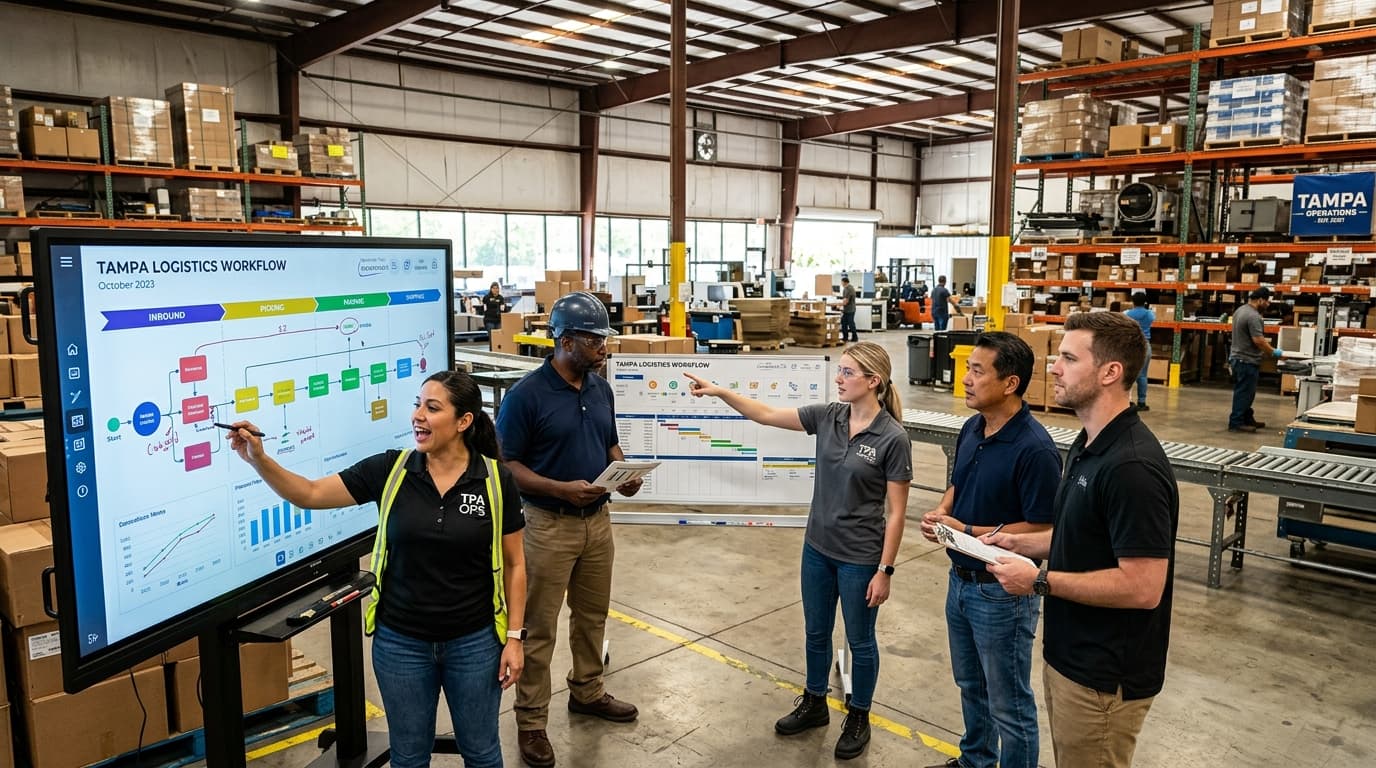
Before writing a single line of code or connecting APIs, we must visually map the entire lifecycle of a task. We collaborate closely with frontline employees to understand where the hidden inefficiencies lie. It is critical to document every trigger, condition, and desired outcome thoroughly. Mapping highlights redundancies that should be engineered out of the process, rather than simply creating an automated version of a broken system.
Phase 2: Selecting the Appropriate Technology Stack
The automation marketplace features tremendous tools perfectly suited for different applications. Platforms like Zapier or Make are phenomenal for linking disparately localized applications used by your marketing or sales departments. For larger operations requiring complex data transformations, custom integrations constructed using standard programming environments might be necessary. The goal is to select an architecture that scales alongside the business.
Phase 3: Building, Testing, and Sandboxing
During this phase, the automated workflow is constructed within a secure, isolated sandbox environment. We rigorously test various edge cases. What happens if a lead submits a form with a missing email address? What if an invoice contains an unrecognizable currency format? Comprehensive error handling is built into the workflow to ensure that anomalies are flagged for human review smoothly, without failing the entire system silently.
Phase 4: Phased Rollout and Change Management
Deploying the system to the entire firm immediately introduces unnecessary risk. We generally recommend rolling out the automated workflow to a small, technologically proficient pilot group first. As they utilize the system in real-world scenarios, we gather actionable feedback and adjust localized elements. Once optimized, the deployment is expanded organically department by department.
[!info] Mid-Article CTA Ready to eliminate bottlenecks and scale your operations? At Everyday Workflows, we specialize in building custom automation solutions tailored to your unique business needs. Let our team handle the technical heavy lifting so you can focus on growth. Schedule your free discovery call with Everyday Workflows today.
Navigating Common Implementation Challenges
While the benefits of operational streamlining are profound, business leaders must navigate several fundamental challenges during implementation to ensure long-term success and strong team adoption.
Managing Team Apprehension and Cultural Shifts
Often, the absolute most significant hurdle to workflow innovation is not technological, but cultural. Team members may inherently view mechanical assistance as a direct threat to their job security. Overcoming this requires transparent messaging from executive leadership. We consistently coach our partner businesses to frame the conversation around “task reduction” rather than “role replacement.” When an accounts payable clerk understands the automated system is stripping away the soul-crushing data entry—freeing them to dive into higher-level financial analysis and vendor relationship management—apprehension swiftly transforms into enthusiastic advocacy. Training sessions must heavily emphasize these qualitative lifestyle benefits alongside the quantitative efficiency gains.
Keeping Scope Creep in Check
During the discovery and mapping phase, the excitement regarding the potential of interconnected systems can rapidly lead to scope creep. Business owners often want to resolve extremely complex, edge-case scenarios right out of the gate. We strongly advise adhering to the 80/20 rule: focus strictly on modernizing the 20 percent of manual processes that consume 80 percent of your team's time. Building robust workflows for rare, anomalous situations is an inefficient use of resources. By deploying high-impact, straightforward solutions initially, your organization realizes an immediate return on investment, which builds crucial momentum for more complex future stages.
Ensuring Data Integrity and Security
As distinct software applications begin communicating autonomously, the volume of data flowing across various endpoints increases dramatically. This inherently exposes critical data—such as patient records in South Tampa healthcare facilities or proprietary client lists in downtown financial firms—to potential transit vulnerabilities. Implementing robust authentication, ensuring all data in transit is fully encrypted, and complying strictly with localized regulatory frameworks are non-negotiable prerequisites. Our team typically constructs comprehensive audit logs within the operational architecture, ensuring that every data movement is transparently tracked and easily auditable in the event of an anomaly.
The Sustainable Advantage of Streamlined Operations
Upgrading your daily business workflows provides a definitive, sustainable competitive advantage in an increasingly crowded marketplace. Local Tampa businesses that proactively optimize their internal logistics, enhance their client response times, and liberate their workforce from administrative burdens are positioning themselves for accelerated, scalable growth. They are the organizations capable of pursuing new enterprise contracts without immediately needing to double their internal back-office headcount.
We understand that analyzing your foundational processes and introducing new technological frameworks can feel incredibly daunting. However, operating within the boundaries of outdated, manual systems carries an even greater long-term operational cost.
If your executive team is spending valuable time manually transferring spreadsheets, copying client data, or troubleshooting a decentralized web of legacy applications, you are artificially stunting your potential growth and frustrating your employees. Engage with our team at Everyday Workflows. We will thoroughly evaluate your current operational infrastructure, identify the most lucrative opportunities for enhancement, and architect a robust system that delivers measurable efficiency within a typical integration timeframe of 2 to 4 weeks. Let us completely redefine what a productive, successful workday looks like for your organization. Contact Everyday Workflows today and start building processes that work for you, not against you.

The Author
Alex De Gracia
Founder & Lead Automation Consultant
Founder of Everyday Workflows with expertise in workflow automation, AI implementation, and business process optimization. Active in Tampa business community, South Tampa Chamber of Commerce, and Young Catholic Professionals Tampa.
Our ApproachReady to Automate?
Book a free strategy session to discuss how intelligent automation can transform your business operations.
Book Strategy Session