Scaling Operations in Tampa: The Complete Guide to Workflow Automation
By Alex De Gracia, Founder, Everyday Workflows
Tampa Bay is currently experiencing an unprecedented economic renaissance. From the bustling maritime ports along the channel to the rapidly expanding tech corridors and the thriving corporate hubs in the Westshore Business District, local businesses are scaling at incredible rates. However, with rapid growth comes a significant operational challenge: maintaining efficiency when internal systems and processes are stretched to their absolute limits.
At Everyday Workflows, we frequently consult with regional businesses that are struggling to keep their operational heads above water. They are successfully acquiring new customers and expanding their service lines across the Suncoast, but behind the scenes, their teams are completely bogged down by repetitive, manual administrative tasks. Data is often siloed in legacy enterprise systems, internal communication relies heavily on fragmented, endless email threads, and human error is slowly creeping into their most critical daily operations.
The traditional, legacy approach to handling this kind of pressure is simply to hire more entry-level staff. But in a highly competitive local labor market, throwing raw headcount at a systemic, structural problem is merely a stopgap measure, not a sustainable long-term strategy. Instead, we strongly advocate for a more strategic, technology-driven approach: comprehensive business workflow automation. By automating routine administrative tasks and data pipeline movements, companies can empower their existing personnel to step away from the keyboard and focus directly on high-value, strategic initiatives that drive real revenue.
In this comprehensive guide, our team breaks down exactly how local businesses can effectively transition from chaotic, manual operations to streamlined, highly automated workflows, typically achieving full implementation within an estimated 2 to 4 weeks.
The Real Cost of Manual Processes in a Boom Town
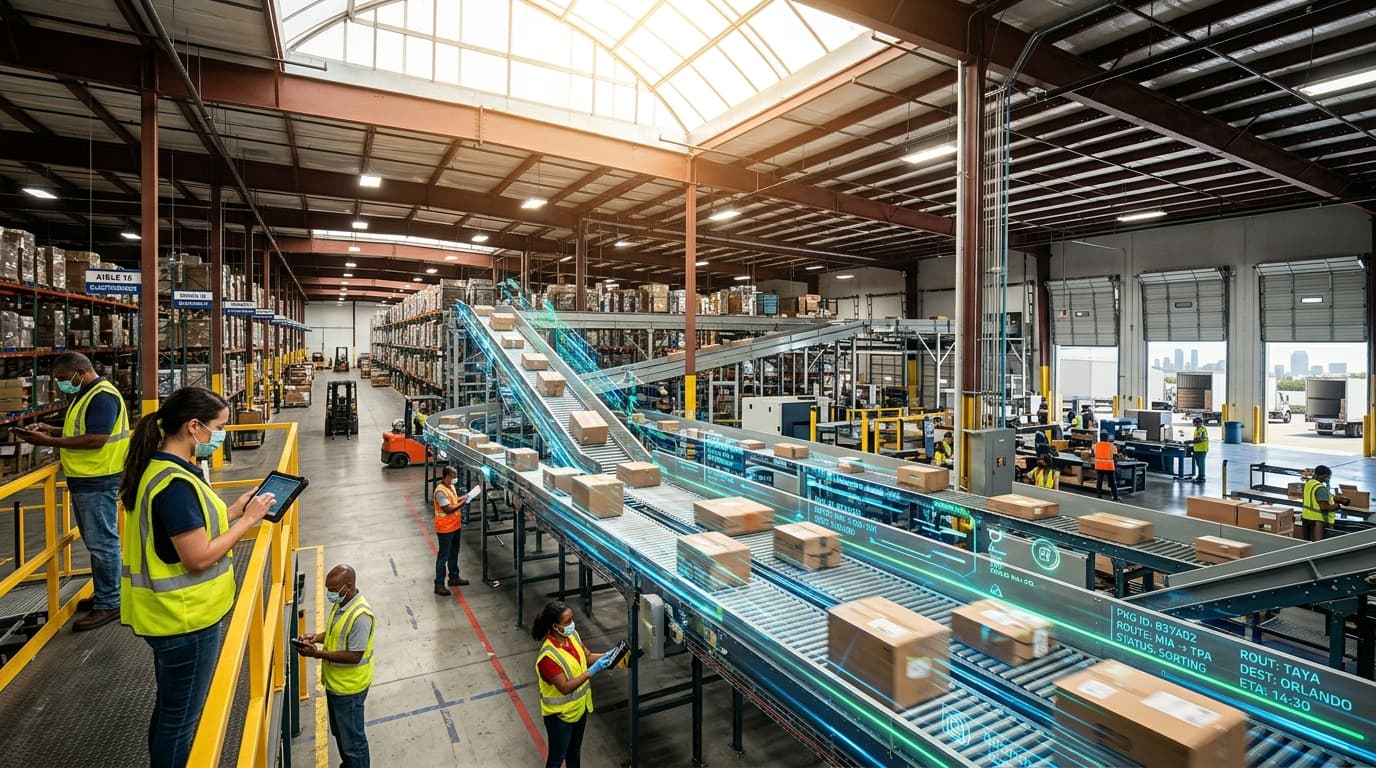
When a business is moving fast, the hidden costs of manual processes often go unnoticed until they suddenly become critical bottlenecks. Imagine a fast-growing local logistics firm operating just outside of Port Tampa Bay. Every time a new shipping manifest is generated, an administrative team member has to manually transcribe hundreds of lines of data from a raw PDF into an internal inventory management spreadsheet.
This process might only take 15 minutes per manifest, but when the company scales from handling 10 manifests a day to 100 manifests a day, that 15-minute task suddenly consumes 25 combined hours of team labor—the equivalent of more than three full-time employees completely dedicated to basic data entry. Not only is this a massive drain on payroll resources, but it also introduces a significant margin for human error. A single mistyped digit in a tracking number or a misplaced decimal in a pricing column can lead to delayed shipments, severe customer dissatisfaction, and potentially thousands of dollars in lost revenue.
Furthermore, manual processes dramatically reduce operational agility. In an era where customers expect rapid responses and real-time updates, relying on manual data transfers means your business is permanently operating a step behind its competitors. Implementing automated operations allows your business to move at the speed of highly modern demand, ensuring that data flows instantly and flawlessly from one application to the next without requiring human intervention at every single touchpoint.
Sector-Specific Bottlenecks: A Look at Tampa's Core Industries
Different industries face drastically unique operational challenges. Over our time optimizing regional operations, our team at Everyday Workflows has successfully identified common bottlenecks across three of Tampa's most prominent economic sectors.
Logistics and Supply Chain Near Port Tampa Bay
For businesses operating in the highly complex logistics and supply chain sector, moving goods efficiently is paramount. However, the movement of information is just as critical as the physical movement of cargo. Logistics companies often struggle with fragmented communication systems. Dispatchers, drivers, and warehouse floor teams frequently use completely different software toolsets to track their individual responsibilities.
By implementing strategic workflow automation, logistics firms can bridge these software gaps. For example, when a shipment physically arrives at a loading dock and is scanned into the warehouse management system, an automated workflow can instantly trigger a notification to the designated client, update the master inventory database, and simultaneously alert the outgoing dispatch team to schedule a local delivery vehicle—all without a single manual phone call or typed email.
Healthcare and Medical Clinics in South Tampa
The healthcare sector, particularly the independent clinics and specialized medical practices concentrated throughout South Tampa, faces stringent compliance requirements alongside immense pressure to deliver excellent patient care. The most common bottleneck we see in this sector is the patient intake and onboarding process.
Clinical staff spend an exorbitant amount of time manually transcribing handwritten patient histories into electronic medical records (EMR) systems. Through secure, HIPAA-compliant automation, practices can digitize the intake process entirely. When a patient completes a secure online form prior to their appointment, that data can be automatically validated, formatted, and pushed directly into the EMR. This typical setup not only reduces administrative overhead but significantly increases the time available for face-to-face patient care.
Retail and Hospitality in Ybor City and Hyde Park
Local retail boutiques and hospitality groups thrive on delivering highly personalized customer experiences. However, managing inventory across multiple physical locations while simultaneously maintaining an accurate e-commerce storefront is a logistical nightmare for small to mid-sized retailers.
Automation can completely revolutionize retail inventory management. When a customer purchases the final unit of a specific product at a storefront in Hyde Park, an automated workflow can immediately update the centralized e-commerce platform to mark the item as "out of stock," instantly generate a purchase order for the primary supplier to restock the item, and send a daily summary report to the purchasing manager. This guarantees that stock discrepancies are virtually eliminated, minimizing the risk of overselling products and ultimately protecting the brand's reputation.
The Blueprint: How to Design and Build an Automated Workflow
Transitioning from entirely manual processes to a fully automated infrastructure does not require you to halt your current operations. Our team at Everyday Workflows uses a meticulous, highly structured blueprint that typically allows businesses to modernize their internal systems over an estimated 2 to 4 weeks without experiencing costly downtime.
1. The Comprehensive Process Audit
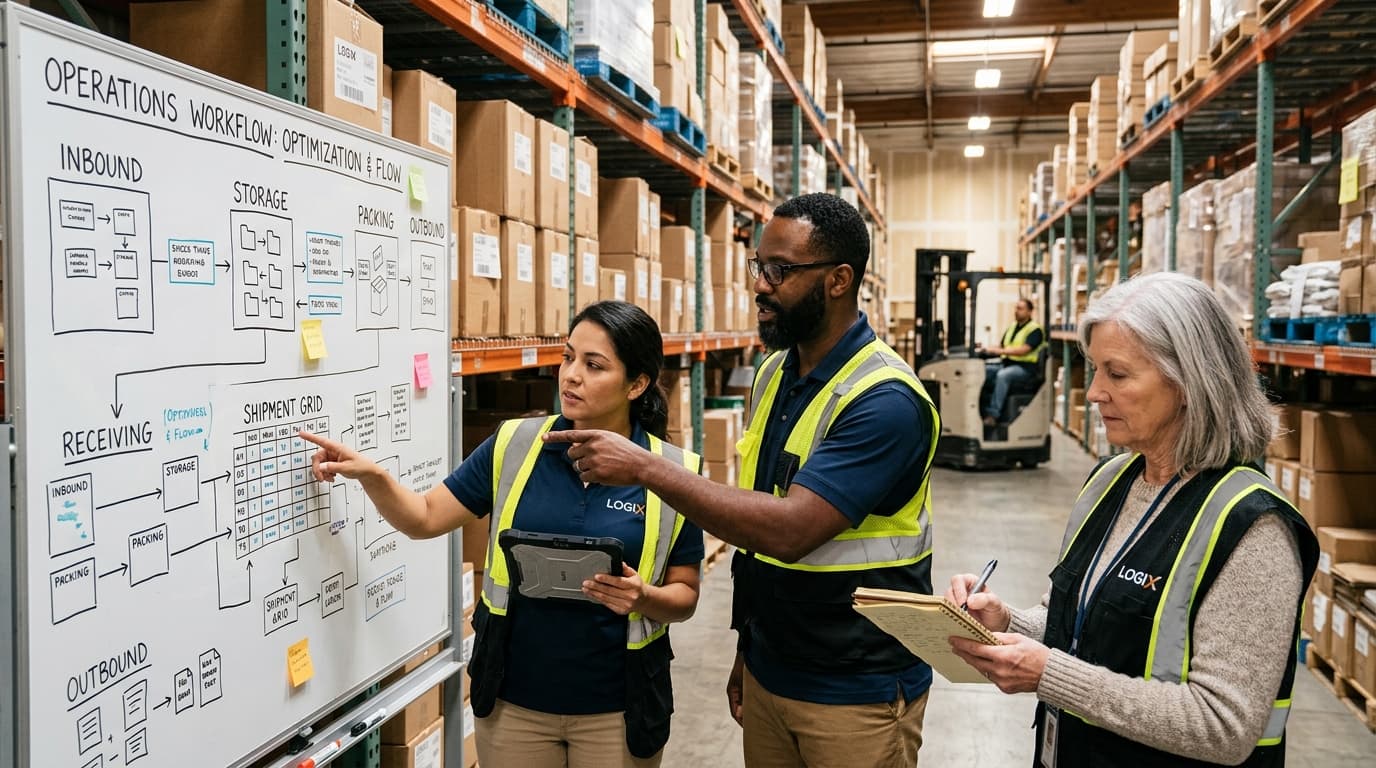
Before writing a single line of code or connecting any software tools, we must deeply understand the current operational reality. This involves sitting down with front-line employees to document the exact sequence of events required to complete a given task. We map out every single trigger, every specific condition, and every final action. Often, businesses discover that their actual processes differ drastically from their documented, theoretical procedures. This auditing phase is crucial for identifying unnecessary redundancies that should be eliminated rather than automated.
2. Selecting the Optimal Integration Stack
There is no one-size-fits-all automation platform. Selecting the right tools depends entirely on the specific software applications your business naturally relies on. For some companies, low-code platforms provide the perfect bridge between marketing and sales software. For highly specialized legacy systems, custom API development might be the most secure and sustainable route. The goal is always to build a deeply integrated technology stack that prioritizes robust security, maximum scalability, and long-term reliability.
3. Building and Sandboxing the Logic
Once the tools are firmly selected, the actual development of the workflow begins. This is where business logic is translated into automated sequences. We heavily emphasize building these new systems within a completely isolated "sandbox" environment. This allows our engineers to rigorously simulate hundreds of unique, real-world scenarios—including specifically testing how the system handles error messages, corrupted data formatting, and unexpected user inputs—without posing any risk to your business’s live data or ongoing daily operations.
4. Continuous Refinement and Edge-Case Planning
No process is completely immune to edge cases. What happens if an API temporarily goes offline? What happens if a customer submits an incomplete form? A truly resilient automated workflow must include calculated fallback procedures and automated error alerts that instantly notify a key human team member when an anomaly naturally occurs. Planning for exceptions in advance transforms a fragile automated process into an indestructible operational asset.
Ready to eliminate operational bottlenecks? Book your free workflow audit with Everyday Workflows today.
Implementation: Turning Strategy into Reality
Designing an automated workflow on paper is only half the battle; the true challenge lies in executing a completely seamless implementation. Our team generally structures the rollout process into highly specific, manageable phases to ensure thorough adoption and drastically minimize any disruption to the daily flow of business.
Phase 1: Foundation and Initial Deployment (Days 1 to 14)
During the initial rollout phase, the specifically approved automated workflows are carefully connected to live production data, but they temporarily operate parallel to the existing manual processes. This highly supervised transitional period typically lasts for an estimated two weeks. It directly allows team members to verify trust in the new automated system by personally confirming that the software's automated actions completely align with manual, human calculations. Building this foundational trust is critical for team adoption.
Phase 2: Complete Transition and Stress Testing (Days 15 to 21)
Once the parallel testing phase proves flawlessly successful, the manual redundancies are officially decommissioned. The business officially leans fully onto the new automated infrastructure. During this critical third week, our implementation specialists monitor data pipelines in real-time to observe exactly how the system reacts to peak operational business hours and maximum capacity loads. Minor workflow adjustments and data parsing adjustments are typically made during this phase to optimize raw processing speeds.
Phase 3: Team Training and Knowledge Handoff (Days 22 to 28)
Technology is only as effective as the human personnel who are managing it. As the implementation phase gracefully concludes, we conduct extensive, hands-on training sessions with your core internal team. We specifically educate them on how to read dashboard analytics, how to interpret automated error notifications, and how to comfortably manage minor adjustments directly within the software platforms. We firmly believe in completely empowering our local clients with full system ownership rather than artificially locking them into endless maintenance dependencies.
Measuring the Impact: Key Performance Indicators
To truly understand the value generated by business workflow automation, local companies must track highly specific, quantifiable metrics before and dramatically after entirely deploying their new operational systems. Without clear KPIs, it is impossible to accurately judge the full localized return on investment.
- Total Labor Hours Reclaimed: This is universally the most immediate, tangible metric. Calculate exactly how many administrative hours per week were previously spent entirely on the task that is now structurally automated. Multiply those combined hours by the aggregate hourly rate of the employees performing the tasks to reveal the hard financial savings.
- Error Rate Reduction: Track the overall frequency of data-entry mistakes, shipping errors, or billing inaccuracies. Automated systems typically drive these specific error rates right down to near-zero, which in turn drastically reduces the secondary costs intimately associated with processing refunds, shipping entirely new replacement products, or specifically handling frustrated customer service tickets.
- Service Level Agreement (SLA) Adherence: Measure exactly how much faster your organization is currently able to fulfill customer requests, generate quotes, or process new daily orders. Improved, lightning-fast turnaround times inherently lead to substantially higher overall customer satisfaction and powerfully increased client retention metrics over longer annual cycles.
Conclusion
Scaling a highly successful business in a booming economic region like Tampa Bay should genuinely be an exciting, profoundly rewarding milestone—not an absolute operational nightmare completely characterized by endless administrative stress and constant, exhausting manual data processing.
By strategically identifying your most persistent operational bottlenecks and intelligently deploying robust workflow automation, you can effectively reclaim countless hours of productive team time, completely eliminate costly data errors, and safely build a highly resilient operational foundation that effortlessly supports sustainable, long-term regional growth. Growth will no longer break your internal systems; it will instead simply validate them.
The future of business in Florida deeply belongs to the highly agile, the extremely efficient, and the fiercely innovative. Don’t let heavily outdated, manual processes intentionally hold your ambitious team back from reaching their absolute highest financial potential. Let’s strategically build operations that finally work for you, not decisively against you.

The Author
Alex De Gracia
Founder & Lead Automation Consultant
Founder of Everyday Workflows with expertise in workflow automation, AI implementation, and business process optimization. Active in Tampa business community, South Tampa Chamber of Commerce, and Young Catholic Professionals Tampa.
Our ApproachReady to Automate?
Book a free strategy session to discuss how intelligent automation can transform your business operations.
Book Strategy Session