Streamlining Client Onboarding: A Guide for Tampa Professional Services
By Alex De Gracia, Founder, Everyday Workflows
In the rapidly evolving business landscape of Tampa Bay, a company’s first impression is often its most lasting. For professional service firms—whether our clients are running a boutique marketing agency in Ybor City, a growing law practice in Downtown Tampa, or a wealth management firm in the bustling Westshore business district—the client onboarding process sets the stage for the entire relationship. Yet, many of these businesses still rely on disjointed, manual processes that frustrate clients and exhaust internal teams. At Everyday Workflows, we have seen firsthand how transforming this critical touchpoint can redefine a business.
Client onboarding is not merely an administrative checkbox; it is the critical transition from a prospect making a purchasing decision to becoming an active, engaged client. When businesses depend on physical paperwork, scattered email threads, and manual data entry, they introduce unnecessary friction. In this comprehensive guide, our team will explore how Tampa-based professional service firms can implement automated onboarding workflows to elevate the client experience, reclaim valuable administrative hours, and build a scalable foundation for growth.
The Hidden Costs of Manual Client Onboarding
Before diving into the mechanics of automation, it is crucial to understand the toll that manual onboarding takes on an organization. In a thriving market like Tampa, where competition is fierce and client expectations are higher than ever, inefficiency forms a ceiling on your growth.
1. Inconsistent Client Experiences
When onboarding relies on human memory or a loose collection of sticky notes, the process inevitably varies from client to client. One new customer might receive a warm welcome email and a clear list of next steps within an hour, while another might wait three days just to get their finalized contract. This inconsistency damages trust early in the relationship and often creates negative word-of-mouth that hurts future referral business.
2. Administrative Burnout
Consider a typical manual onboarding flow: Drafting a proposal from scratch, exporting it to a PDF, emailing it to the client, waiting for a physical signature, scanning the document, manually moving the client’s status in a spreadsheet, drafting a welcome email, requesting initial documents, and negotiating meeting times for a kickoff call. For a typical professional service firm, this can consume anywhere from two to four hours of manual labor per new client. If your team brings on five clients a week, that is a massive loss of billable hours that could be spent doing deep, impactful work.
3. Data Silos and Costly Errors
Manual data entry is the enemy of accuracy. Typing a client’s information from an email into a CRM, then into billing software, and finally into a project management tool invites typographical errors. These errors can lead to missed invoices, misspelled names on legal documents, or worse—compliance and liability issues for legally regulated industries. Finding and fixing these errors takes exponentially more time than automating the transfer from the start.
The Core Components of an Automated Onboarding Workflow
At Everyday Workflows, we advocate for a streamlined, integrated approach rather than piecemeal fixes. A robust automated onboarding sequence typically relies on a well-connected tech stack. Here are the core components required to build a seamless experience.
1. The Central Source of Truth: Your CRM
Your Customer Relationship Management (CRM) system—such as Salesforce, HubSpot, or Pipedrive—should act as the operational brain of your onboarding workflow. The automation trigger usually begins here. For example, when a deal stage is updated to "Closed/Won" by your sales team, the CRM communicates with your other applications to initiate the onboarding sequence instantly, without requiring any manual clicks.
2. Digital Document Generation and E-Signatures
Tools like DocuSign, PandaDoc, or HelloSign can integrate directly with your CRM. Instead of manually drafting contracts and statements of work, your system can automatically pull the client's exact name, company, and project details natively from the CRM into a pre-approved template. Once generated, it is automatically routed to the client for a legally binding digital signature via email or SMS.
3. Automated Welcome and Nurture Sequences
As soon as the contract is digitally signed and countersigned, your marketing automation tool (or the CRM itself) should immediately dispatch a personalized, warm welcome email. This communication should congratulate the client, validate their decision to partner with your firm, and outline exactly what they can expect in the coming weeks. A typical welcome sequence usually involves three to four emails staggered over the first two weeks to drip-feed important information without overwhelming the new client.
4. Frictionless Information Gathering
Rather than sending a static, poorly formatted PDF questionnaire that the client has to print, fill out, and scan back, automated onboarding utilizes dynamic, logic-based intake forms through tools like Typeform, Jotform, or Gravity Forms. When the client completes this digital intuitive form, the data automatically routes back to your CRM and project management tools, populating the necessary fields without an ounce of human intervention.
5. Seamless Kickoff Scheduling
Eliminate the endless back-and-forth emails negotiating meeting times. Fasten a scheduling tool like Calendly or Acuity Scheduling natively into your welcome sequence. The client simply clicks a link, views your team's real-time availability synced with your master calendar, and books their kickoff call at their convenience. The system then automatically generates a Zoom or Microsoft Teams link and sends calendar invitations, complete with an agenda, to all relevant parties.
Step-by-Step Implementation for Tampa Firms
Transitioning to an automated onboarding system does not happen overnight. Our team estimates a typical implementation timeframe of 2 to 4 weeks, depending on the complexity of your current processes and the specific software stack being utilized. Here is the operational roadmap we use at Everyday Workflows to deploy these solutions for local Tampa businesses.
Step 1: Meticulously Map the Current Process
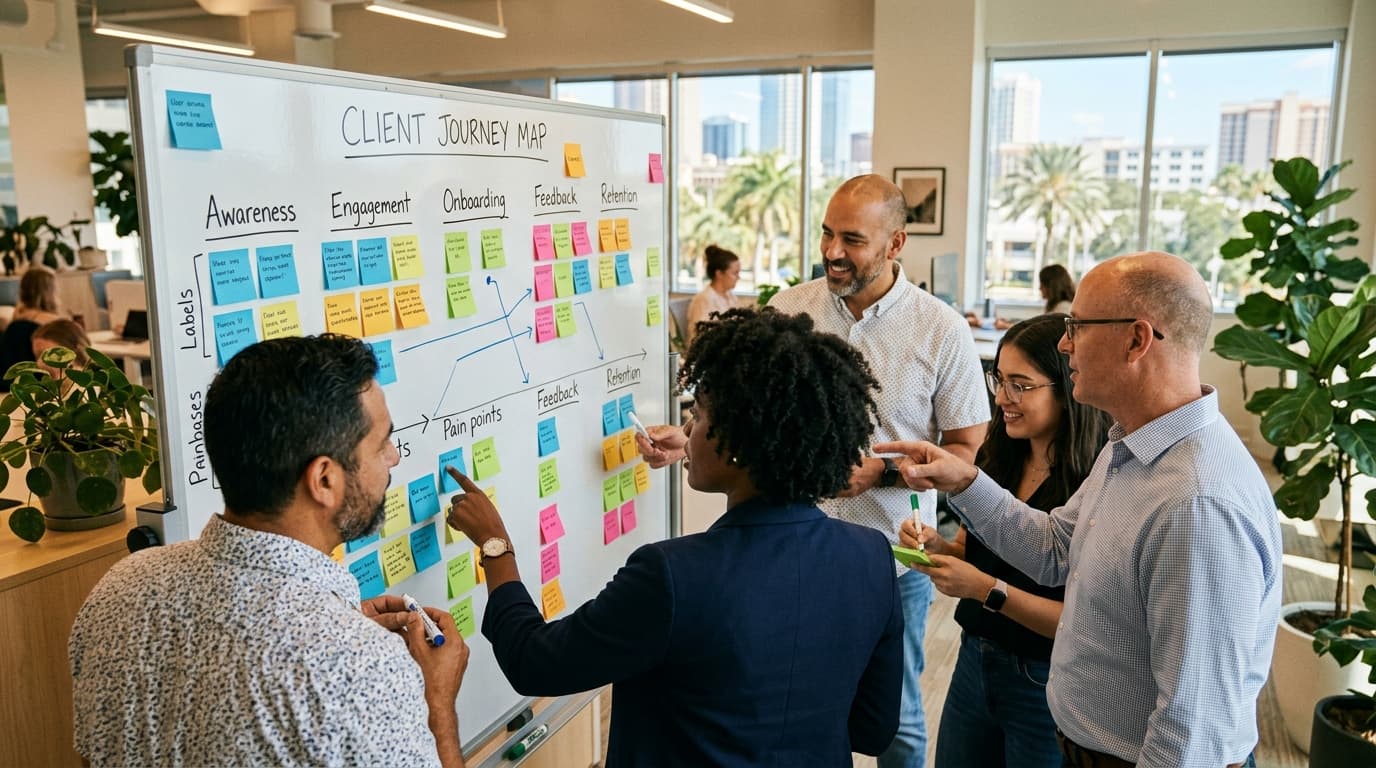
Before writing a single line of logic or setting up a Zapier integration, you must document the current state of your onboarding. Gather your team and utilize a physical whiteboard or a digital mapping tool like Miro. Document every single action taken from the moment a prospect says "yes" to the completion of the formal kickoff call. Who sends the contract? Where is it permanently stored? How does the billing department get notified?
Step 2: Identify Bottlenecks and Redundancies
Once the current process is mapped out visually, look for the friction points. Are there steps where the process consistently stalls because it requires manual approval from a specific manager? Are team members entering the exact same client data into multiple, disconnected systems? These redundancies are your prime candidates for immediate automation.
Step 3: Design the Ideal Automated Flow
Create a new map detailing the optimized “future state.” In this stage, focus heavily on the end-client experience. What is the most frictionless, impressive way for them to sign their agreement, pay their initial deposit, and provide necessary foundational information? Ensure that every single automated touchpoint still retains a personalized, human feel that aligns with your brand’s voice.
Step 4: Choose the Right Integration Platform
For many growing Tampa firms, integration platforms like Zapier or Make (formerly Integromat) act as the ideal digital glue to hold the onboarding stack together. These middleware tools allow your CRM to inherently "talk" to your e-signature software, billing platform, and project management tools seamlessly. Depending on your firm's security requirements—especially crucial for legal, medical, and financial firms—custom API integrations built by our developers may be necessary to ensure maximum compliance.
Step 5: Build, Test, and Iterate
We always recommend a phased rollout approach. Build the new automation in a sandbox environment first. Run extensive tests using dummy data to ensure that contracts are generating perfectly, emails are firing at the correct times, and databases are updating flawlessly. Once you go live, treat the automation as a living, breathing sequence. Solicit active feedback from your newest clients about their onboarding experience and tweak the workflow accordingly based on real-world usage.
Ready to streamline your operations? Book a free workflow audit with Everyday Workflows to see how automation can transform your Tampa business.
Real-World Application: Transforming a Westshore Accounting Firm
To illustrate the direct impact of these automation strategies, consider a typical scenario our team recently encountered. A mid-sized, growing accounting firm based in Tampa's Westshore district was struggling to keep up with client onboarding during the chaotic, high-stress lead-up to tax season (note: we have anonymized specific details to protect client confidentiality, but the metrics reflect typical outcomes).
The Challenge: Before collaborating with our Everyday Workflows team, the firm relied heavily on manual, paper-heavy processes. When a new corporate client signed on, an administrative assistant manually drafted an engagement letter from a Word document, emailed it to the client, and waited. Once physically signed and scanned back, the assistant had to manually type the client's financial details into their secure document portal, set up a billing profile by hand in QuickBooks, and email back and forth to schedule a discovery call with a senior CPA. This overall process averaged 3.5 hours of manual, unbillable labor per client and often took over a week to complete due to email delays and inevitable human bottlenecks.
The Automated Solution: We collaborated intimately with the firm's leadership to redesign this flow over an estimated 3-week implementation period. We connected their existing CRM (HubSpot) with PandaDoc for dynamic contracts, QuickBooks Online for automated invoicing, and Calendly for frictionless scheduling.
- Trigger: A managing partner shifts a deal stage to "Closed Won" in HubSpot.
- Action 1: PandaDoc automatically generates the custom engagement letter utilizing the specific CRM data and securely emails it to the client for an e-signature.
- Action 2: Upon the applying of the signature, a secure webhook automatically triggers QuickBooks to generate and send the initial retainer invoice.
- Action 3: Simultaneously, a culturally warm, personalized welcome email is dispatched from the lead CPA. This email contains a secure, encrypted link to upload prior-year tax returns and a Calendly link allowing the client to book the specialized discovery call on their own time.
The Results: The operational transformation was substantial. The manual administrative time dropped steeply from 3.5 hours to barely 15 minutes of simple review time per new client. Beyond merely reclaiming valuable hours, the firm established a highly professional, modern first impression that significantly differentiated them from older, paper-reliant competitors in the greater Tampa market.
Refining the Client Experience: Automation with Empathy
A common hesitation we uncover during initial consultations at Everyday Workflows is the fear that heavy automation will inherently make the client experience feel cold, rigid, or robotic. This is an incredibly valid concern, but when executed intelligently, automation actually enhances deep personalization.
Automation handles the heavy administrative burden—the tedious data entry, the secure file transfers, the maddening scheduling logistics. By removing these time-consuming, low-value tasks from your team's plate, they are freed up mentally and temporally to focus on high-value, empathetic human interactions. Instead of spending twenty frantic minutes drafting a routine welcome email, a project manager can utilize that exact same time to thoroughly research the new client's company, prepare thoughtful, specific questions for the kickoff call, or even record a highly personalized 60-second video via Loom to include seamlessly within the automated welcome sequence.
True automation does not replace the human connection; it facilitates and protects it. It ensures that your dedicated team interacts with clients when it matters most—building strategy and trust—rather than when they are simply chasing down a missing signature or a late initial deposit.
Measuring the Success of Your Onboarding Automation
After investing in and deploying an automated onboarding process, how do you know if it is working effectively? We recommend tracking several key performance indicators (KPIs) to measure tangible success and identify pinpointed areas for ongoing optimization.
1. Time to Value (TTV)
This critical metric measures the exact time from when a client formally signs their contract to when they receive their first quantifiable value or deliverable from your firm. Automated onboarding drastically reduces TTV by completely eliminating administrative delays, allowing your specialized team to begin actual project work days or even weeks earlier than manual methods would allow.
2. Client Satisfaction Rating (CSAT) during Onboarding
Send a brief, automated survey immediately following the initial kickoff call. Ask the client to rate the ease, clarity, and professionalism of the onboarding process. High CSAT scores during this honeymoon phase are phenomenal leading indicators of deep trust, higher lifetime value, and future client retention.
3. Administrative Hours Saved
Track the average time your team spends completing manual onboarding tasks before mapping your automation, and compare it to the time spent after implementing the new sequence. Multiply those saved hours by the average hourly rate of the employees performing those tasks to calculate a clear, undeniable monetary return on investment (ROI).
Conclusion: Securing Your Competitive Edge
In today's highly competitive Tampa Bay market, relying on manual, disjointed client onboarding processes is a liability that hampers growth and drains team morale. By embracing tailored automation, professional service firms can transform their onboarding from a tedious administrative choke-point into a massive strategic advantage. An automated workflow ensures consistency, significantly reduces costly data errors, and reclaims countless hours for your team to focus on what they do best: delivering exceptional, revenue-generating service.
Transitioning to an automated operational system requires careful early planning, deep structural process mapping, and strategic software integration. However, the operational benefits achieved over our typical estimated 2-4 week implementation timeline will yield dividends for your firm for years to come.
At Everyday Workflows, our team is profoundly dedicated to helping local businesses design and deploy smart systems that foster sustainable growth. If you are tired of dropping the ball during those critical early days of a new client relationship, it is time to upgrade your operations. Reach out to Everyday Workflows to explore how we can architect a flawless onboarding experience tailored specifically to your unique firm.

The Author
Alex De Gracia
Founder & Lead Automation Consultant
Founder of Everyday Workflows with expertise in workflow automation, AI implementation, and business process optimization. Active in Tampa business community, South Tampa Chamber of Commerce, and Young Catholic Professionals Tampa.
Our ApproachReady to Automate?
Book a free strategy session to discuss how intelligent automation can transform your business operations.
Book Strategy Session