Skip to content

Software and AI for sales operations and CRM

Keep your pipeline in the CRM. Connect lead capture, outbound, enrichment, and follow-up so reps do not have to enter data by hand.

Best for

  • Founders and sales leaders whose CRM data cannot be trusted.
  • Teams where new inquiries wait too long for a reply.
  • Companies running outreach in one tool and the pipeline in another, with no reliable link between them.

What we build for sales teams

We fix the foundation first, then connect the tools around it.

CRM cleanup and pipeline design

Fix deal stages, contact ownership, duplicate records, and source tracking in HubSpot, Twenty CRM, or a custom system.

Outbound and CRM two-way sync

Connect email and SMS outreach tools to HubSpot or your CRM with verified webhooks, safe retries, and opt-outs that stay in sync.

Speed-to-lead routing and alerts

Send each new inquiry to the right rep right away, with context, SMS or Slack alerts, and response-time tracking.

AI-assisted research and follow-up

Prepare prospect briefs, call summaries, and follow-up drafts inside tools your team already uses, with reps reviewing before anything is sent.

Sales and revenue dashboards

Combine CRM pipeline, Stripe billing, and activity data into reporting managers can read at a glance.

Fix it, connect it, or build it

A new tool is rarely the first answer. We start with what you already pay for.

Fix the CRM

When it fits:The tool is fine, but stages, ownership, and fields have drifted.

How we help:Redesign the pipeline, merge duplicates, and write rules the team can follow.

Connect your tools

When it fits:Outreach, forms, billing, and the CRM each hold part of the story.

How we help:Link them so lead status, replies, and opt-outs stay consistent.

Build software

When it fits:Your routing, review, or reporting needs go beyond what the CRM or an add-on can do.

How we help:Agree the scope in writing, then build and test it with your real leads.

What we can connect depends on the access and features of each tool. We check that before recommending changes.

How a project runs

  1. Step 1

    Review the pipeline

    Look at how leads arrive, who owns them, and where follow-up stalls, using your real CRM data.

  2. Step 2

    Agree the plan

    Confirm the work, price, estimated timeline, and how you will decide it is ready. You approve before building starts.

  3. Step 3

    Clean up and connect

    Fix the CRM structure first, then connect outreach, forms, and alerts in small, testable pieces.

  4. Step 4

    Launch and train

    Switch the team over with training, written procedures, and monitoring for failed syncs.

  5. Step 5

    Check it in use

    A 14 to 30 day improvement period against the goals you agreed, followed by optional ongoing support.

We confirm a timeline estimate after reviewing integrations, data quality, access, and review turnaround. Estimates are not guarantees.

See our delivery process

Build costs and ongoing costs

Projects are scoped in writing, and the price is agreed before work starts.

Hosting and support:
A monthly plan applies when we host or run an integration for you. Deployment into your own cloud account is available by agreement.
Other costs and terms:
CRM, outreach, messaging, and AI subscriptions are billed by those providers unless we agree otherwise in writing. Ownership, licensing, and exit terms follow your signed agreement.

Full detail on how pricing works.

Related work

Sales-operations and CRM projects we have delivered, with the context of each engagement.

Instantly.ai โ†” HubSpot Integration: Integration build ยท Sales operations

Outreach activity and opt-out records need consistent synchronization with CRM data. Outreach activity, lead status, and opt-outs stay in step with HubSpot. The connection verifies incoming updates, avoids duplicate processing on retries, encrypts personal information, and limits sensitive details in activity records.

  • Updates can be retried without duplicate processing
  • Opt-outs kept in sync, with a record of activity
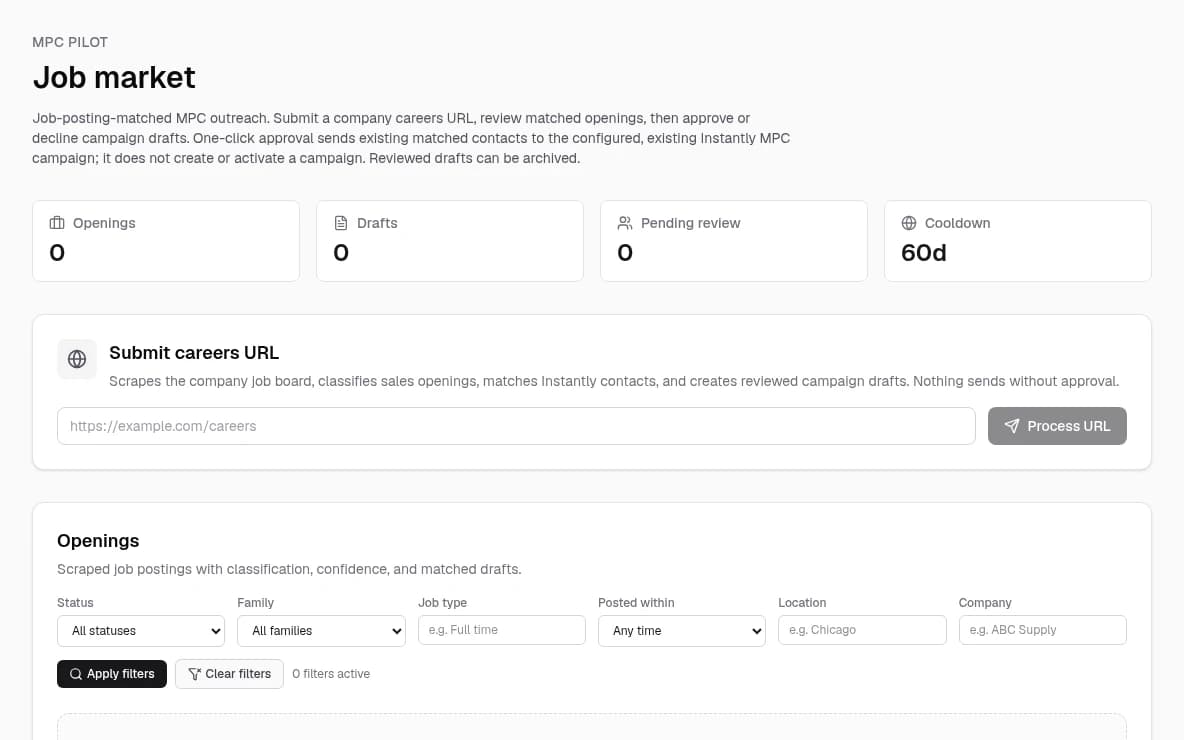
Lead Operations Workspace: Client Project ยท Business Answers International

Recruiting and sales teams need one place to manage work that is spread across separate tools. A dedicated workspace brings lead generation and AI-assisted research together. The client build is near completion; it is not presented as a live launch or a measured business result.

  • One place to find leads and research their details
  • Near-complete client build

Real Estate Brokerage: Rapid Lead Assignment & Engagement

Delays between lead capture and agent contact led to lost sales. Leads go to the right agent automatically, with instant messages and response-time tracking.

  • 391% increase in conversion
  • Under 1 minute to first contact

Inside Sales Team: AI Calling & CRM Automation

Low contact rates and tedious manual data entry. Voice AI screens calls, creates transcripts, and updates customer records.

  • 80% less manual calling time
  • More qualified leads, higher conversion

Sales Operations: Automated Lead Transfer & CRM Enrichment

Slow response times and missed opportunities. Lead details move automatically between tools, with added research and immediate team alerts.

  • Zero manual data entry
  • 100% accurate transfers

Case results are client-reported from our published case studies. We have not had them independently verified, and your results will depend on your starting point, data, and team.

Software we have built

Two client projects, shown as they run. Each links to its full case study.

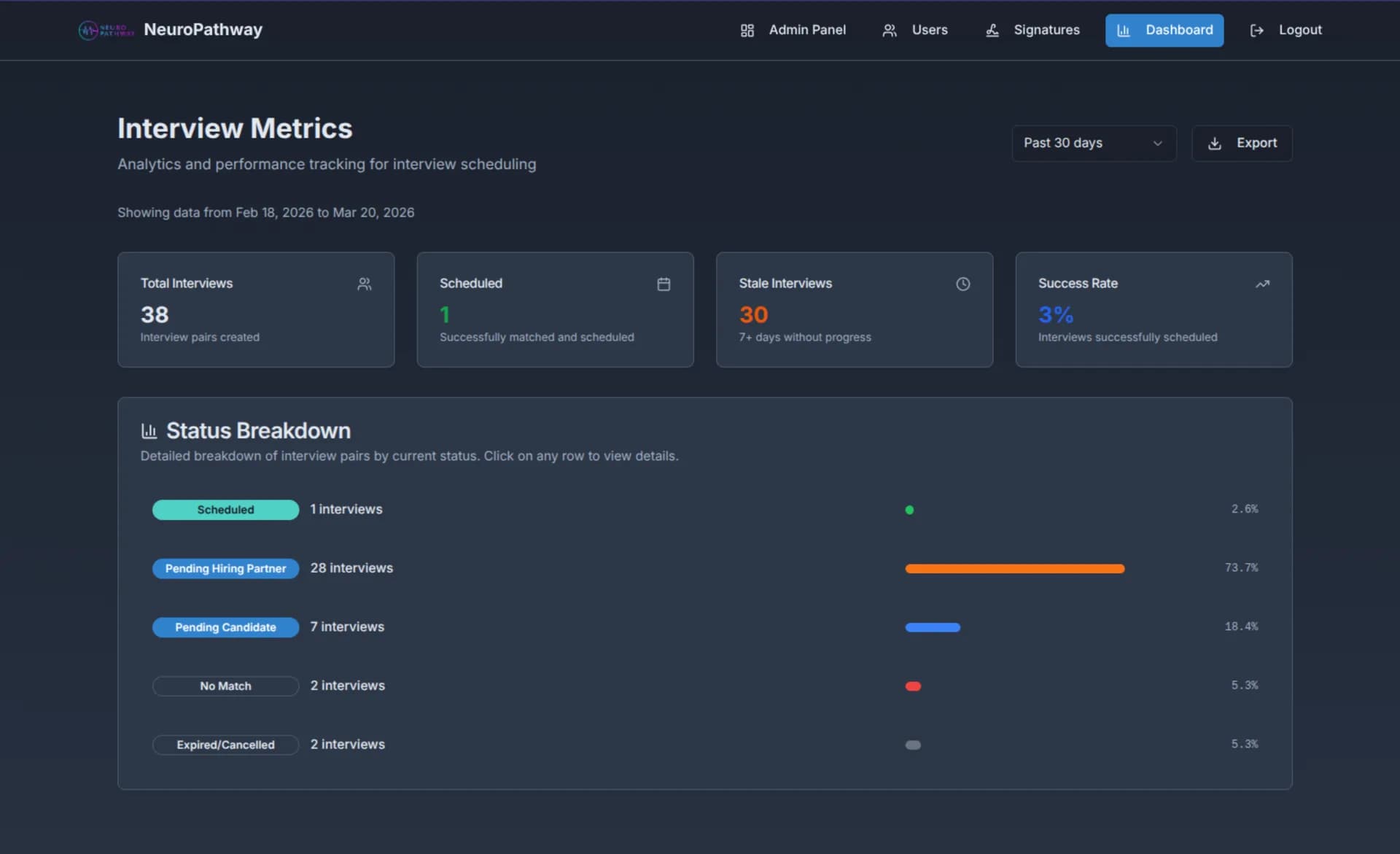
Interview scheduler
Interview Scheduler project screenshot.
Lead operations workspace
Actual Job Market workspace, captured locally without client records.

Questions

Tell us where leads slip through

Share your CRM, your outreach tools, and the step where follow-up stalls.

Start wish listBook a $99, 1-hour consultation

Optional and separate from assessment, build, and support.